![favicon_GI.png]](https://knowledge.gantner-instruments.com/hs-fs/hubfs/favicon_GI.png?width=40&height=40&name=favicon_GI.png)
Background
EPICS is a set of Open Source software tools, libraries and applications developed collaboratively and used worldwide to create distributed soft real-time control systems for scientific instruments such as particle accelerators, telescopes and other large scientific experiments.
A Q.station plugin (GInsEpicsServerPlugin) is available to create an Epics server within the controller to stream the data from the data acquisition system to the Epics software tools.
Install plugin
- Reach out to a Gantner representative for the download link for the EPICS Q.station plugin version that matches the Q.station firmware you currently have installed.
- Use the Firmware Manager tool or GI.bench to install the plugin: https://knowledge.gantner-instruments.com/how-to-install-a-pluginhttps://knowledge.gantner-instruments.com/how-to-install-a-plugin
Read variables
By default all variables from process image should be available from EPICS world via CA (channel access). There is a prefix Loc.PI.<VARIABLE NAME> to identify our variables in EPICS.
For Windows, this software is an example of one that can be used.
In this example test setup with a Q.station XT some setpoint virtual variables were created.
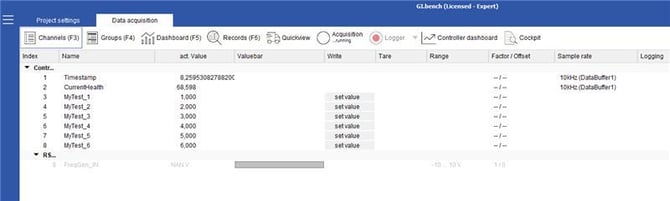
To read a variable's value use caget:

To set a value to an output channel use caput:
