![favicon_GI.png]](https://knowledge.gantner-instruments.com/hs-fs/hubfs/favicon_GI.png?width=40&height=40&name=favicon_GI.png)
1. Perform scan in PUMA
- Prepare Device Files: Generate the Gantner ESI (EtherCAT Slave Information) XML files for all hardware you plan to connect. This can be done easily using GI.bench via USB or EtherCAT with a compatible master e.g. TwinCAT, Acontis, KPA Studio.
- Scan the Bus: Open the PUMA EtherCAT console or configuration tool. Initiate a network scan to detect all physically connected slaves.
- Map the Network: The software will match the detected hardware against the provided ESI files to generate the ENI (EtherCAT Network Information) file. This file establishes the network layout, cyclic communication, and update rates
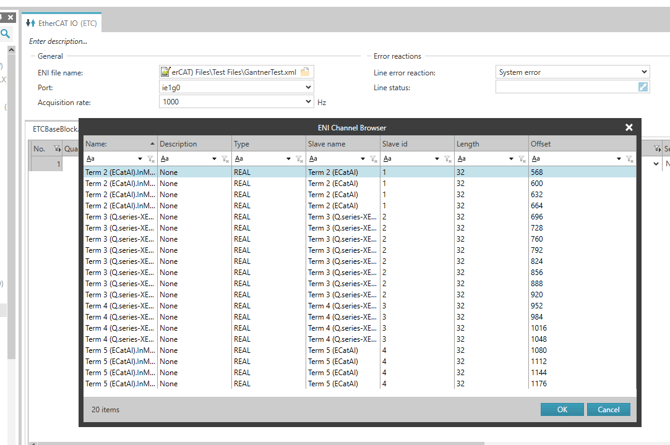
2. Import ENI file
Using a software like TwinCAT, you can generate an ENI (EtherCAT Network Information) file.
https://knowledge.gantner-instruments.com/q.seriesx-xe-ethercat-slave-implementation-guide
This ENI XML file can be imported into Puma.