![favicon_GI.png]](https://knowledge.gantner-instruments.com/hs-fs/hubfs/favicon_GI.png?width=40&height=40&name=favicon_GI.png)
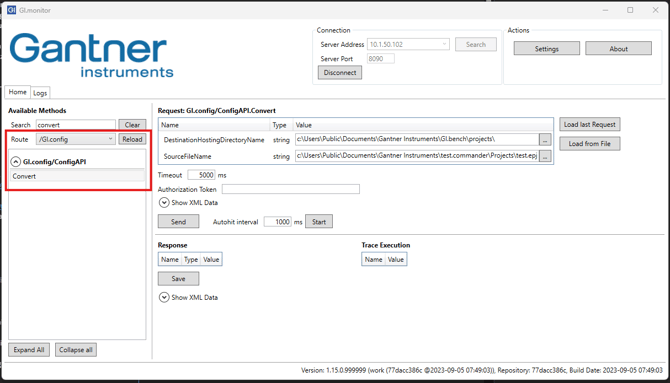
Open GI.monitor and navigate to convert:
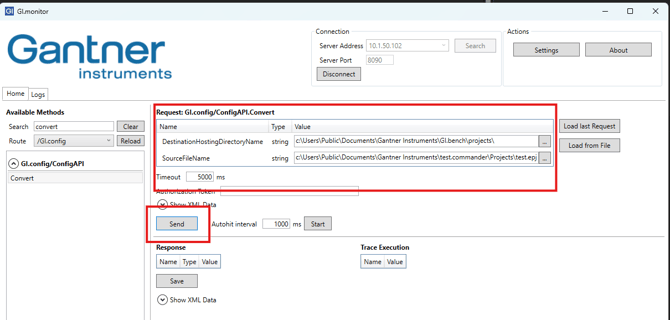
Type in the Destination Directory (GI.bench project path) and the source file path (test.commander). Add the "project name.epj" and press send:
Now the project has been succesfully converted (double check the project and adjust the loggers - if there are some).