![favicon_GI.png]](https://knowledge.gantner-instruments.com/hs-fs/hubfs/favicon_GI.png?width=40&height=40&name=favicon_GI.png)
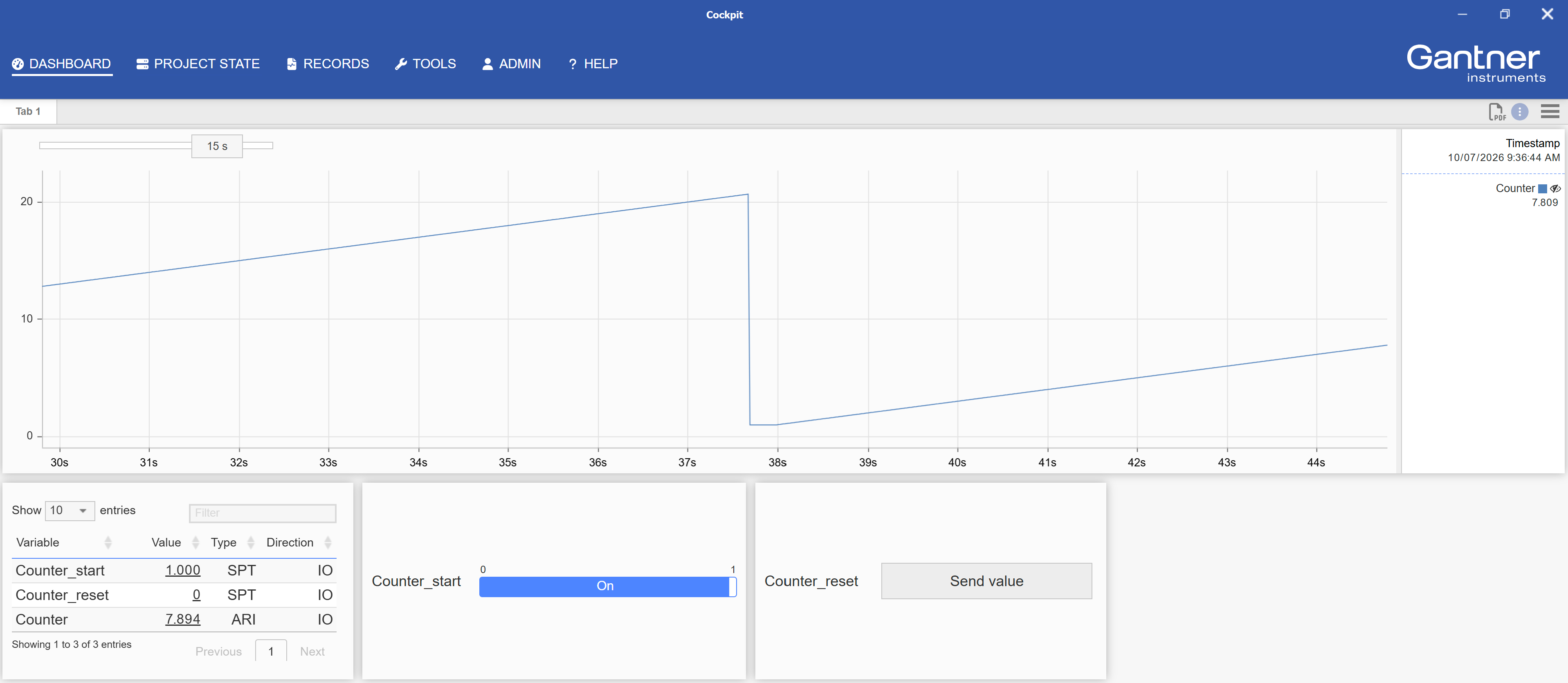
We can use the Integrator arithmetic function to monitor a value being triggered, then integrate that over time to create a 1Hz incremental counter.
- Create 3 new virtual variables (can name as desired)
- Setpoint: Counter_start
- Setpoint: Counter_reset
- Arithmetic: Counter
- For the arithmetic variable Counter, edit the formula
- Integrator(Higher(“Counter_start”;0.5))
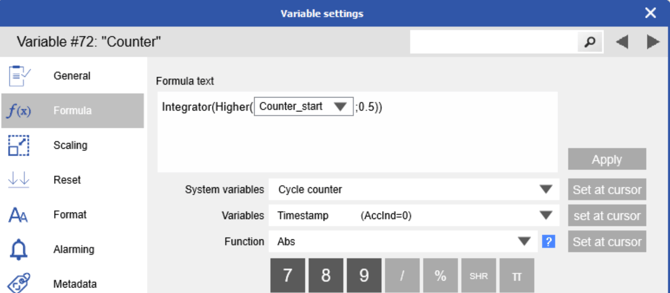
- Integrator(Higher(“Counter_start”;0.5))
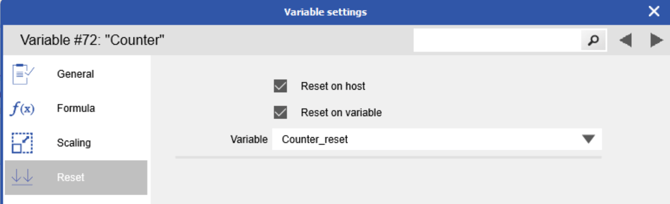
- In the arithmetic variable still, go to the Reset section. Check the box for Reset on variable and select the Counter_reset variable. Click OK to save changes.
- Make sure new variables are added to SystemDataStream. Write changes to the controller.
Now when Counter_start variable goes to 1, it will start the 1Hz counter. Set Counter_start to 0 to pause the count. Set Counter_reset to 1 at any time to reset Counter to 0.