![favicon_GI.png]](https://knowledge.gantner-instruments.com/hs-fs/hubfs/favicon_GI.png?width=40&height=40&name=favicon_GI.png)
The sharing feature is turned off by default for security reasons. To enable sharing:
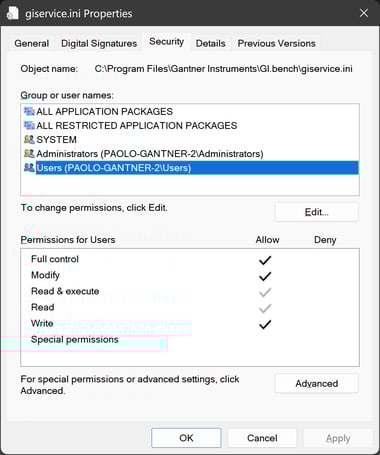
- Navigate to the giservice.ini file at C:\Program Files\Gantner Instruments\GI.bench\giservice.ini
- Open file in notepad as admin or give admin rights to this file for the current account
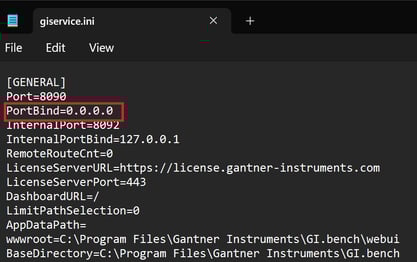
- Under the [General] section change the PortBind value from the default 127.0.0.1 to 0.0.0.0
- After that, GI.bench might ask you about the firewall settings at the first start
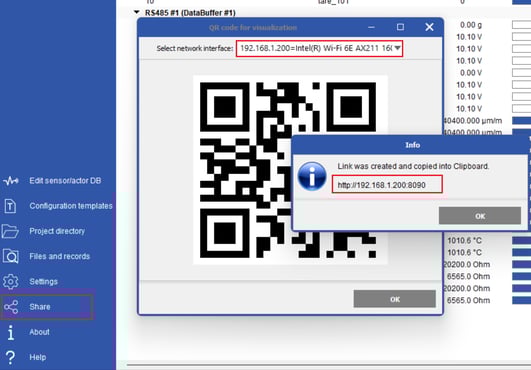
- Now you should be able to share the IP of the ethernet port you are using with port 8090. You can also see this by going to Share in GI.bench and select the correct network interface